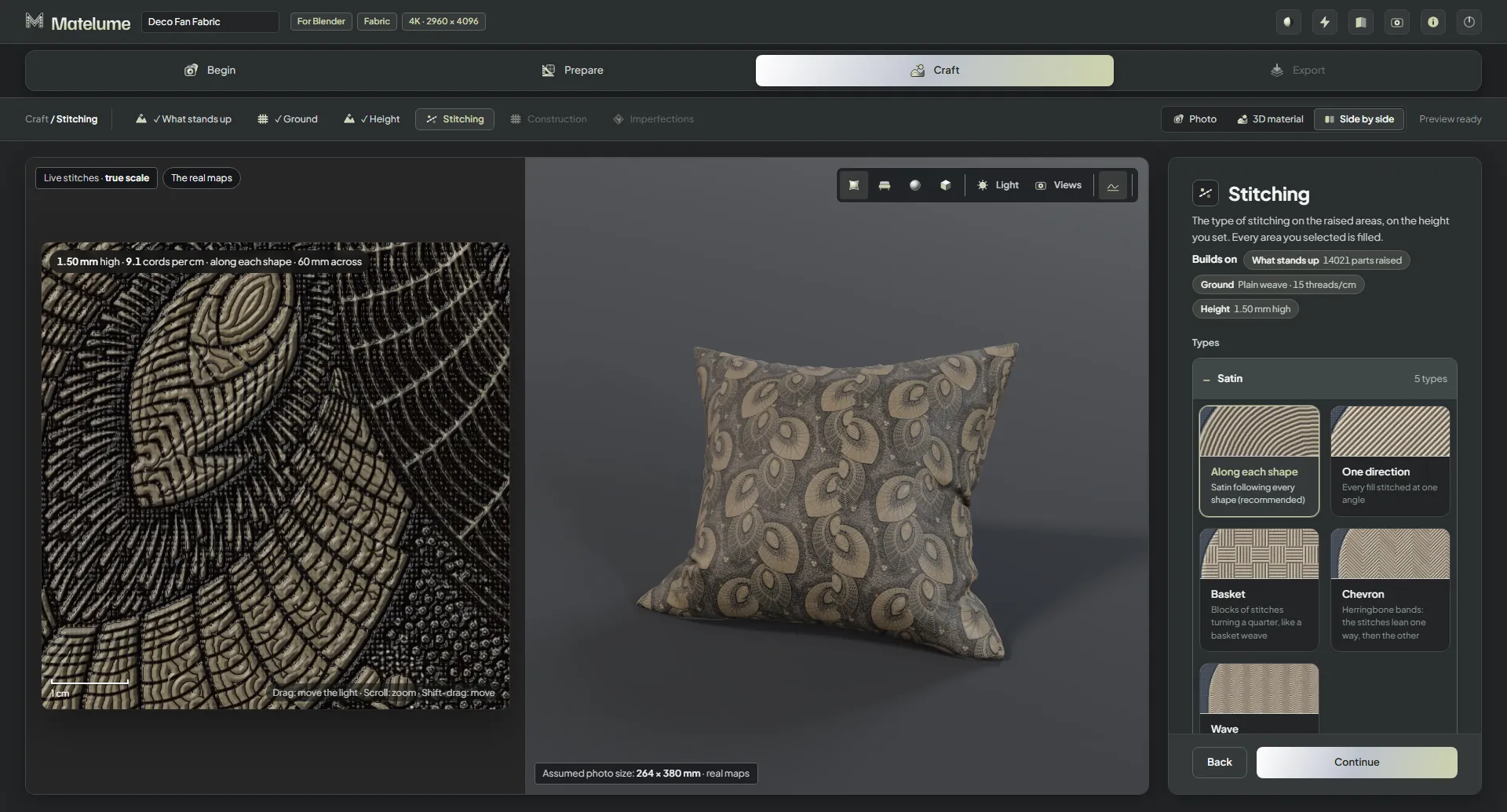
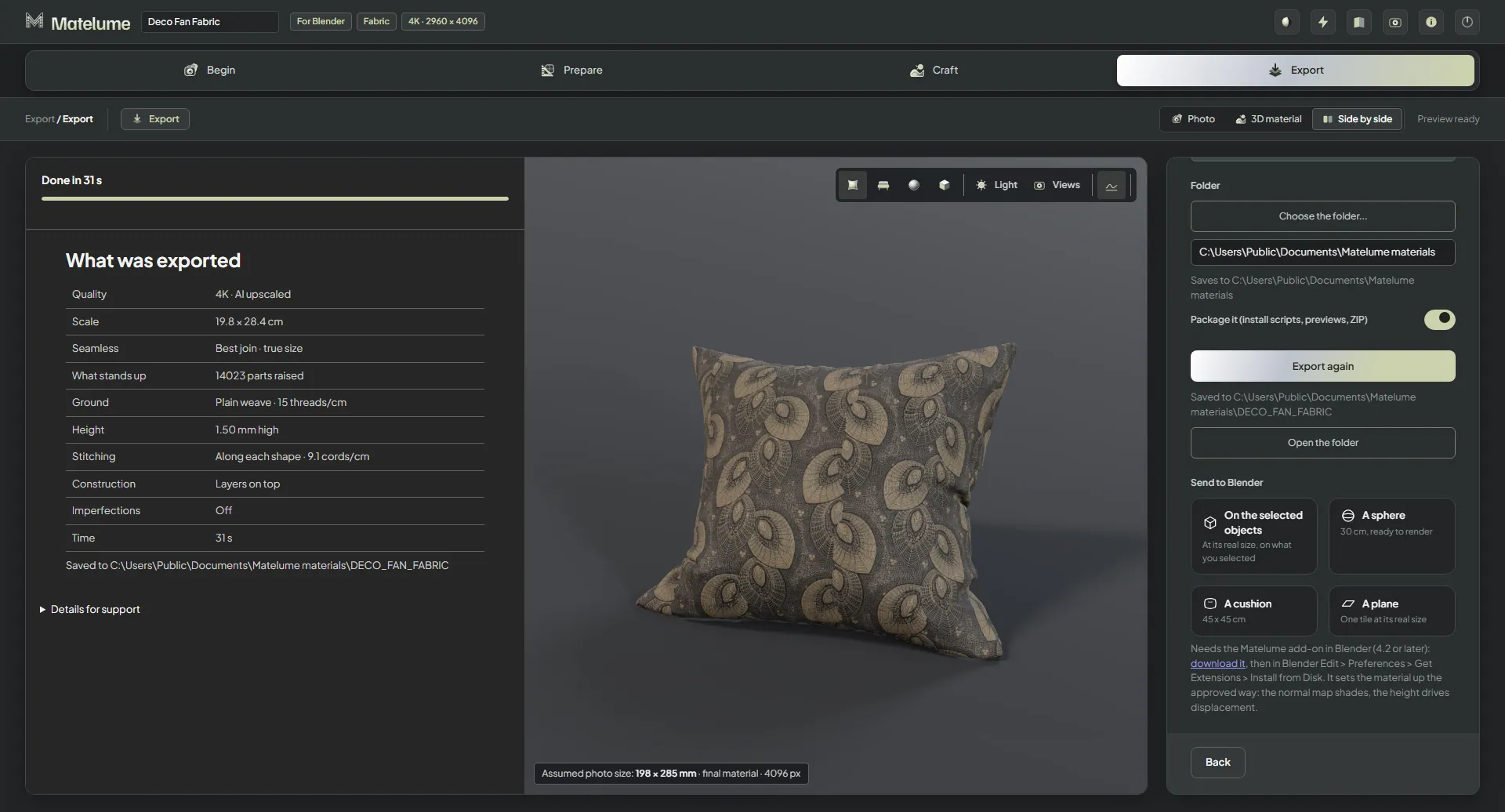
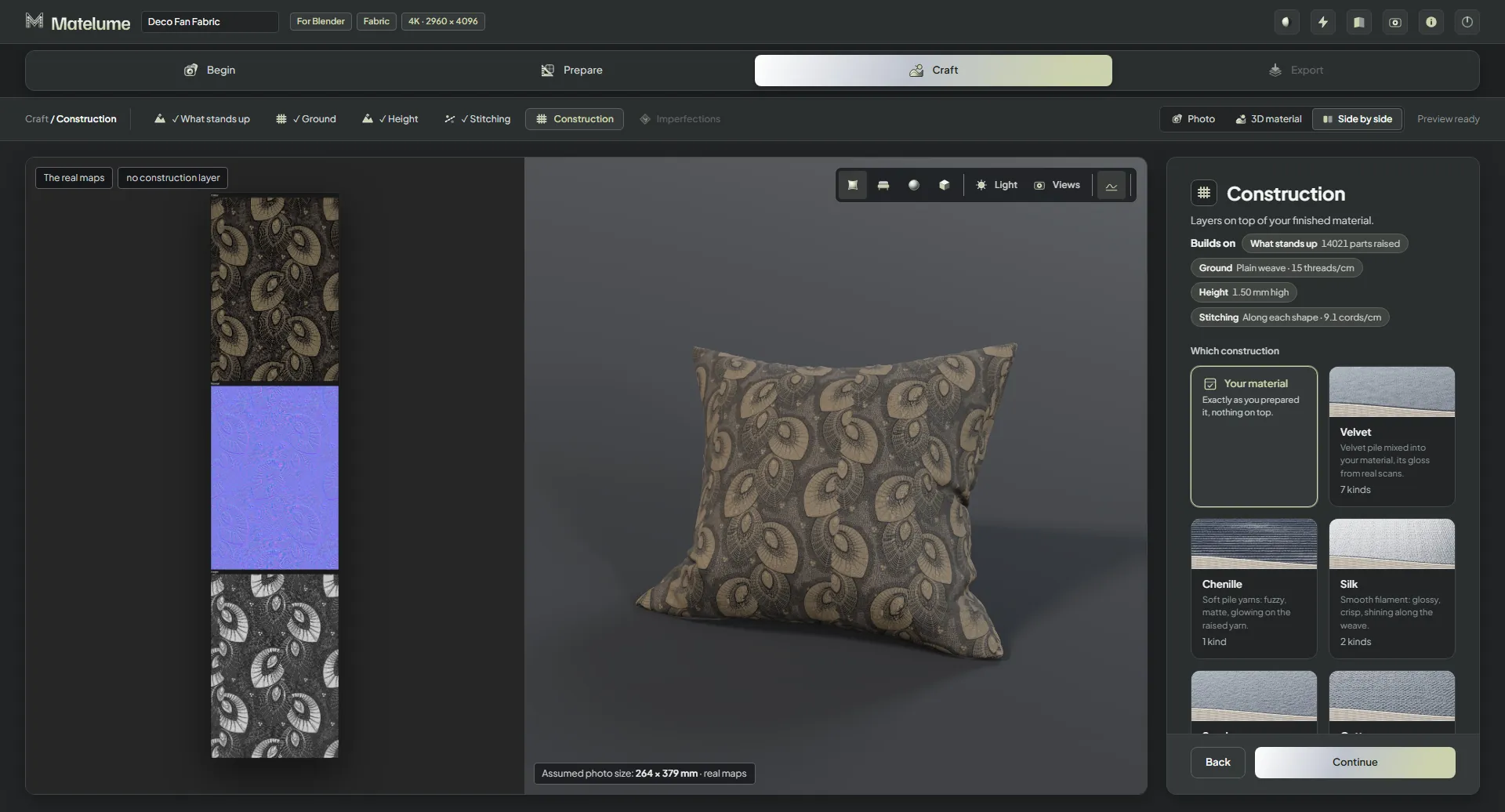
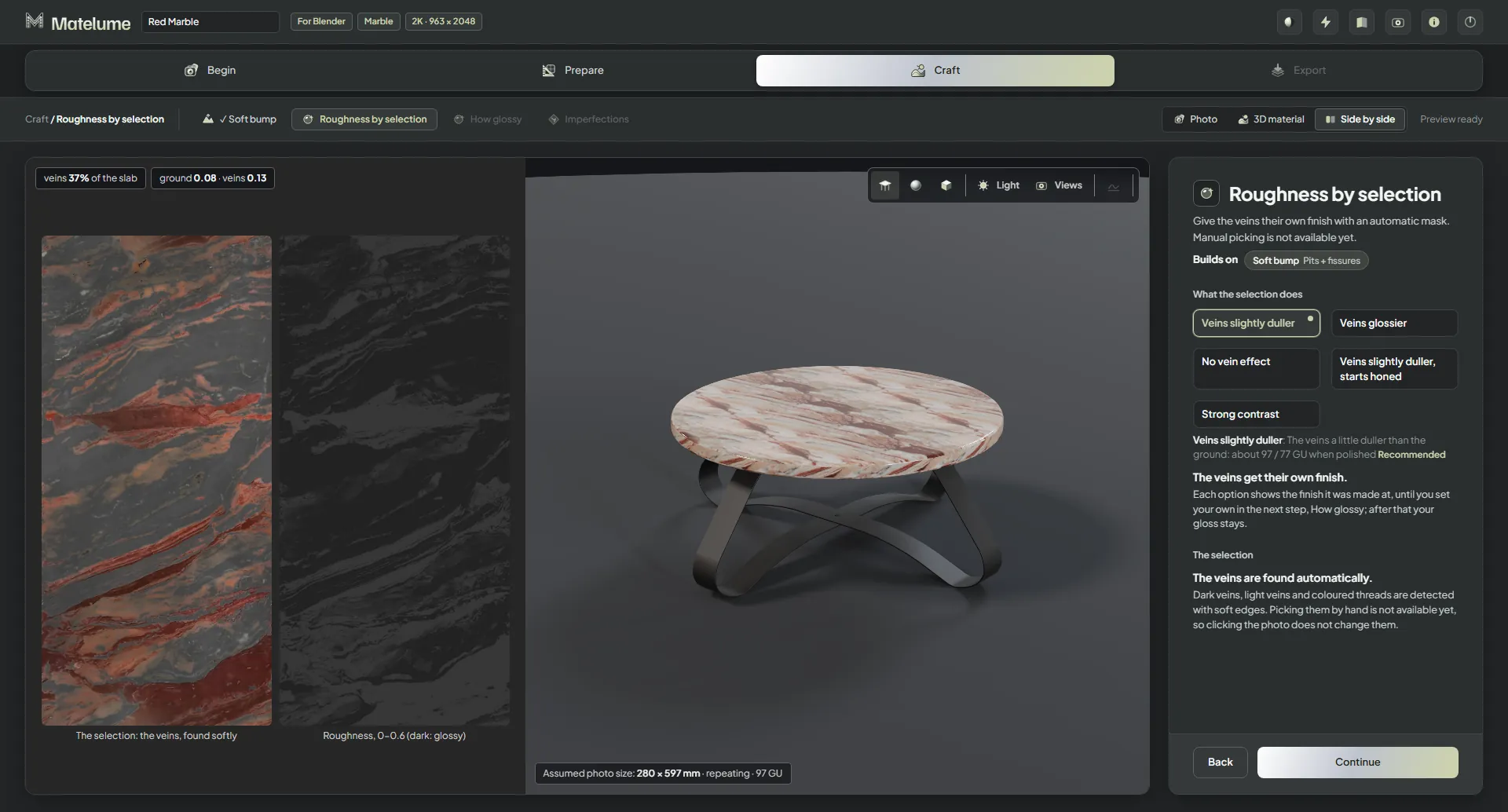
Matelume 2.0.1 is ready to download. This update fixes a crash that could close Matelume when opening the Colour catalogue, plus a few smaller fixes. It installs over 2.0.0 and keeps your sign-in, settings and projects.
A clearer Studio. Choose your material, prepare your image, then adjust its finish in a redesigned Studio.
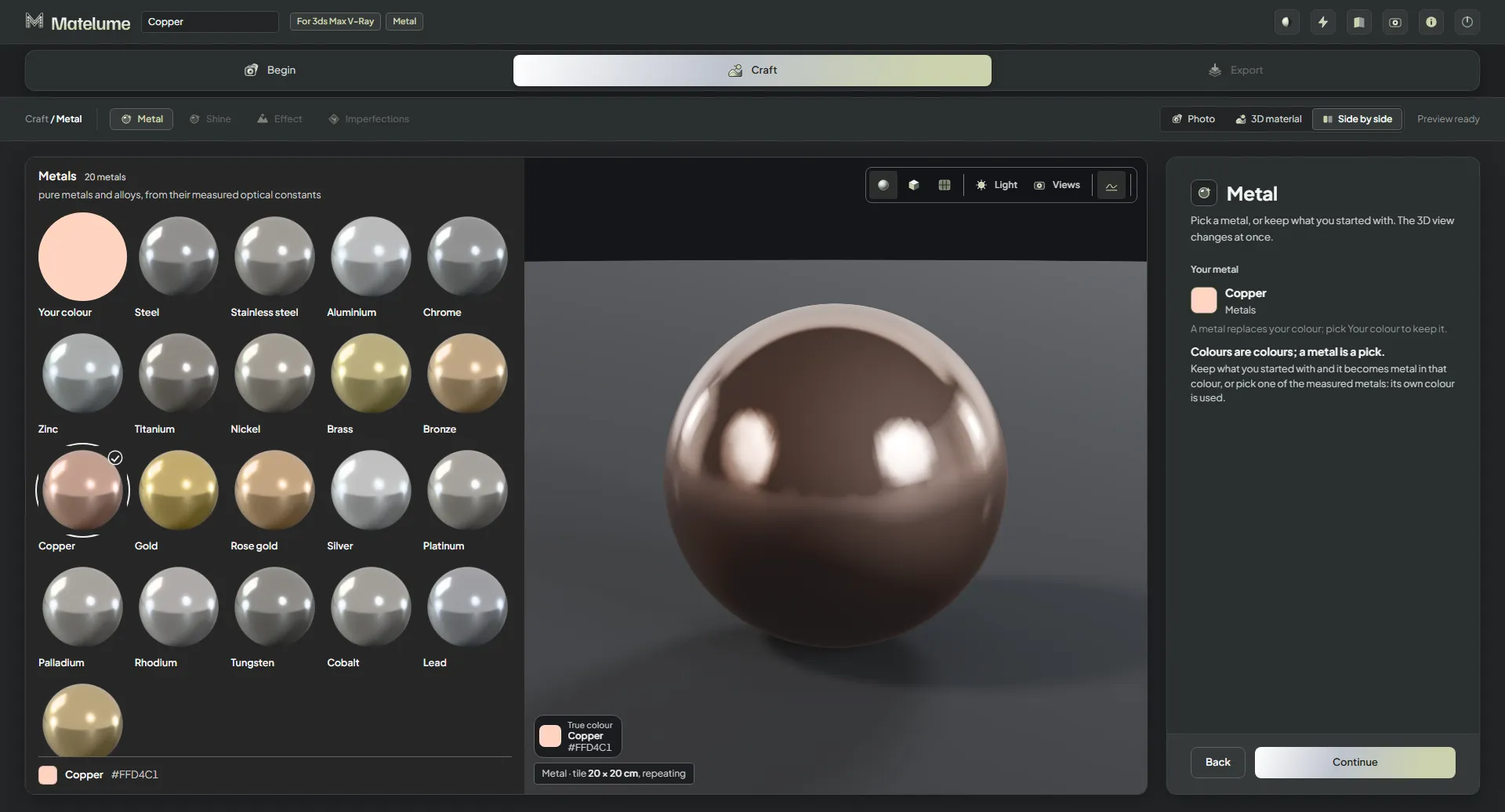
Metal, ready for your renderer. Create brushed, hammered, bead-blasted or linen metal, with scratches, fingerprints and small dents.
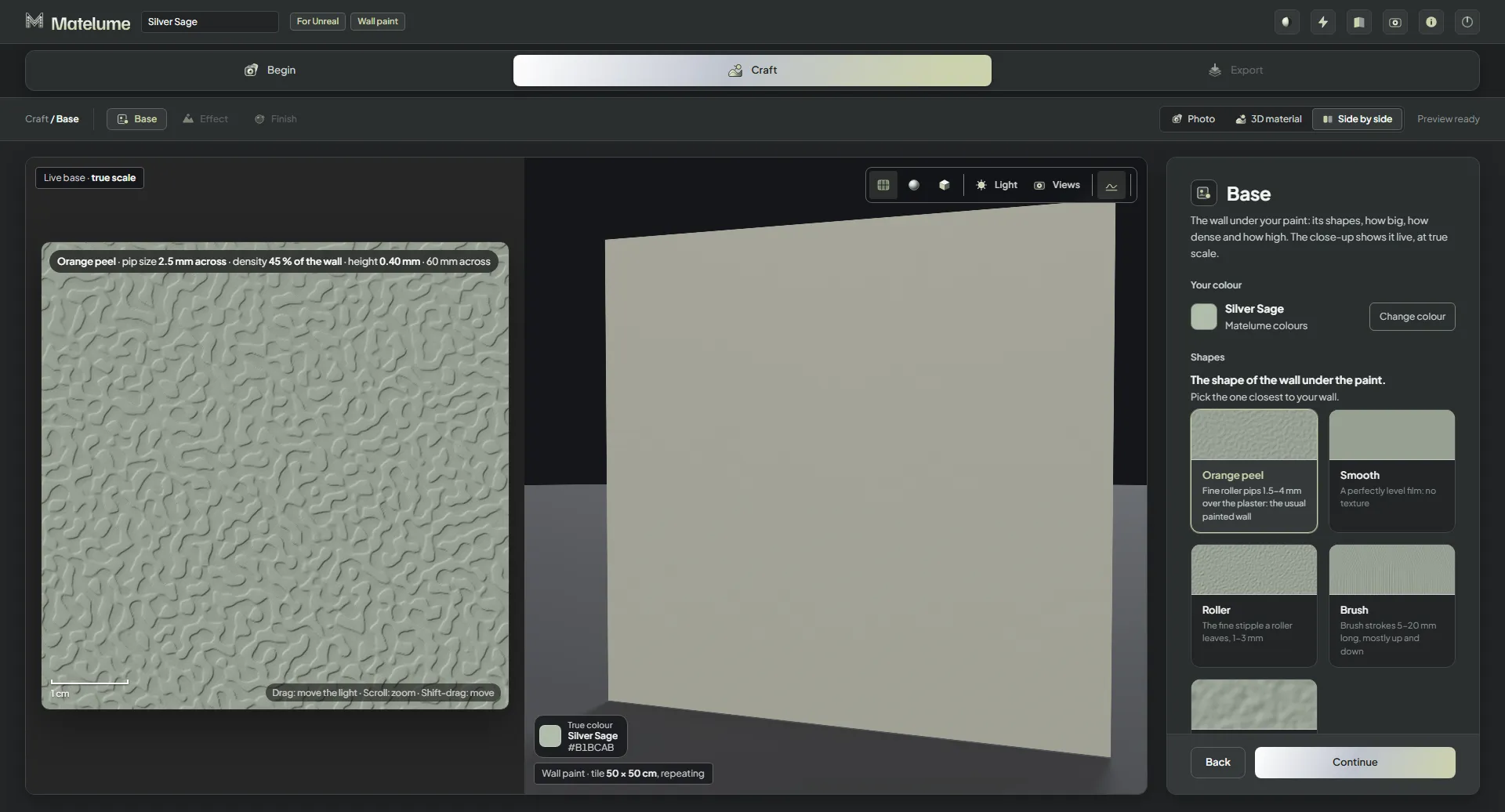
More control over wall paint. Make paint from a colour or a photo, with finer control over the scale of its effects.
Fabric at the right scale. Adjust the construction scale to suit the material and the size of your pattern.
Dark images keep their depth. Dark marble and wood photos keep their dark areas instead of being lifted to a minimum brightness.
Help from inside the app. Review what will be included before sending a problem report from Matelume.
The Matelume Studio
Your ideas. A material of their own.
Current version: Matelume 2.0.1, released 4 November 2026.
Current integrations
Blender add-on 0.2.2 and 3ds Max package 0.1.2 accompany Matelume 2.0. Brushed-metal anisotropy maps are connected by the Blender add-on.
Download Matelume. Explore fabric, wall art, marble, wood, wall paint and metal in one Windows app.
Inside Matelume
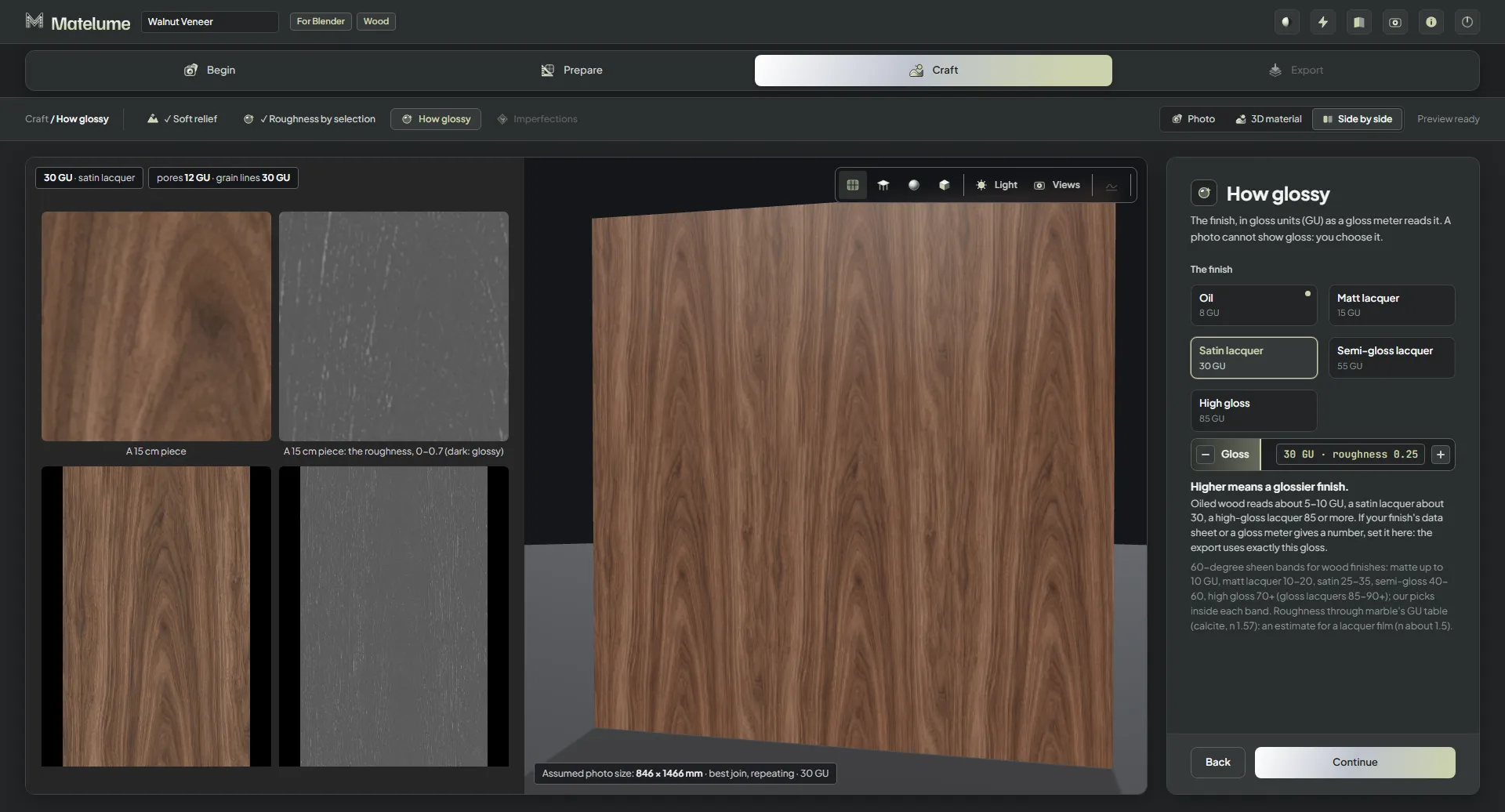
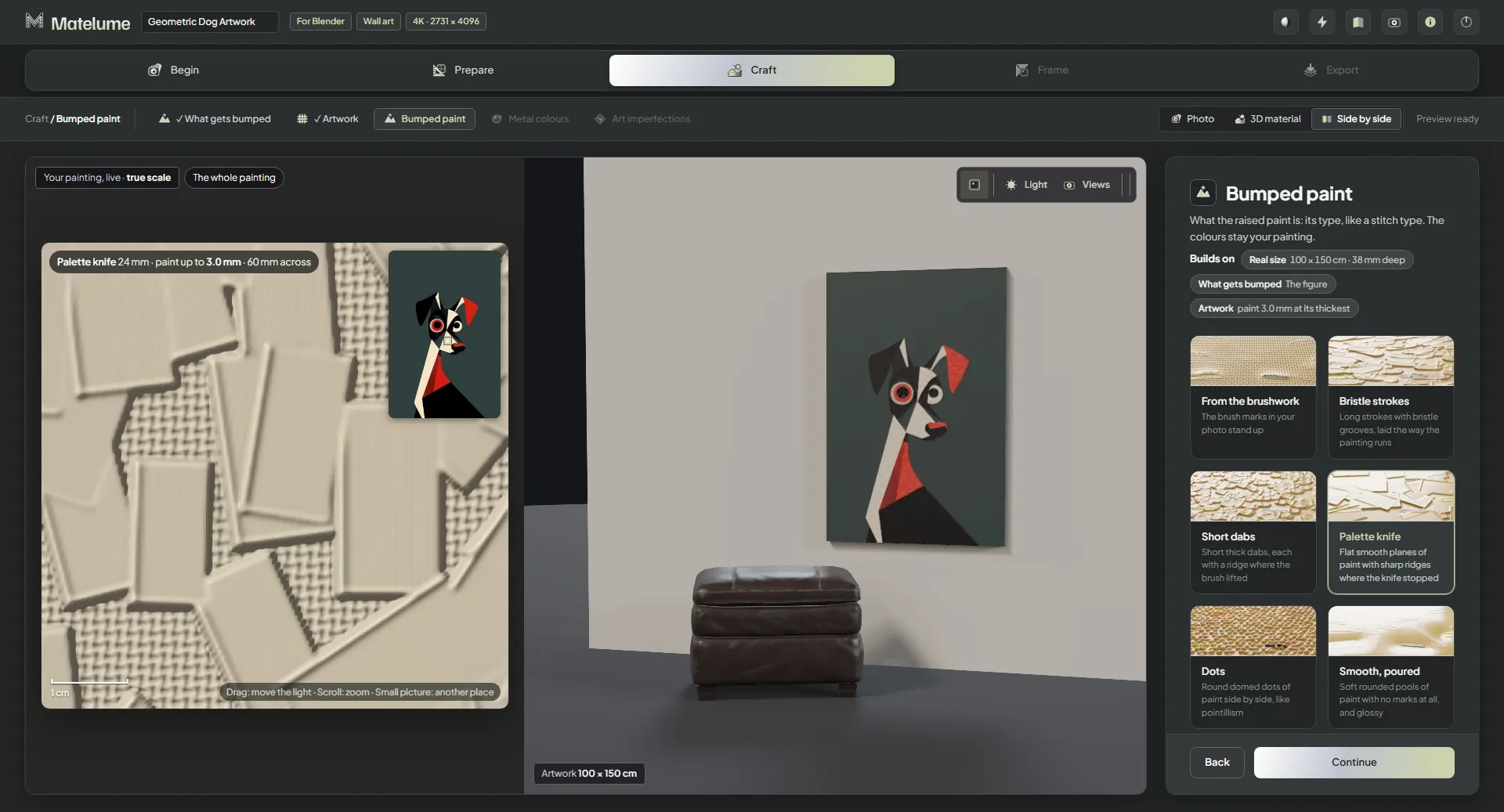
Explore the workspace Click the image to look closer ↗
Actual app captures from an earlier interface. Current labels may differ.
WINDOWS APP v2.0.1
Matelume 2.0.1 · Released 4 November 2026
Start with Matelume.
14 days. The complete creative workflow. Your own projects.
In Blender, choose Edit > Preferences > Get Extensions > Install from Disk, then select the ZIP file.
Since add-on 0.2.0 (Matelume 1.0.7), the Blender add-on supports Wood on a wall panel, a table top or your selected object, at real size.
Updated in Matelume 1.0.5. Width and height are measured separately for the right size on your own objects. Use Fit real size after resizing. The node setup uses Texture Coordinate → Mapping and one Matelume Real Size node with Width, Height and Size x. Listening for Send to Blender starts automatically.
AUTODESK 3DS MAX
3ds Max plugin0.1.2
For Autodesk® 3ds Max® 2025 or later (V-Ray®, Corona).
Choose Scripting > Run Script... and select the downloaded .mzp file. You can also drag it into a 3ds Max viewport.
Updated in Matelume 1.0.5. Width and height are measured separately for the right size on your own objects. In 3ds Max, click Listen as before.
The add-on and plugin are also available from the Export step inside Matelume.
Install the new add-ons over the old ones.
Blender is a trademark of the Blender Foundation. Autodesk and 3ds Max are registered trademarks of Autodesk, Inc. V-Ray and Corona are trademarks of Chaos. Matelume is not affiliated with or endorsed by them.
Before you install
One installer for everyone
Create an account, install Matelume, then choose Sign in with your browser inside the app to link this PC. Buying a plan unlocks the same app without another download. Internet is required throughout use.
Link your PC
Choose Sign in with your browser. Sign in on the website, check that the code and PC name match, then choose Link this PC. Return to Matelume; its sign-in window closes when the link is ready. Click the trial or plan badge, then Manage my account, to manage access and linked PCs. No password is entered inside the app.
Windows installation notice
The Matelume 2.0.1 installer is signed by Abdelrahman Osama Mohamed Ibrahim with an SSL.com certificate and timestamp. Check the publisher and the SHA-256 below against the file you downloaded. A newly signed application may still show a Windows SmartScreen recognition warning. Do not disable Windows security or override a malware detection.
What the trial includes
The 14-day trial includes every Pro tool, full-size exports and no watermark. It starts when you link your first PC. One trial is available per PC and email address. Max features, including fur, are not included. After 14 days, Matelume shows “Your trial has ended. Buy Matelume to keep working; your work is saved.” You cannot create new materials or export until you buy a plan. Your saved work stays on your PC, and purchasing unlocks the app at once. The trial does not start a paid subscription.
Requirements and performance
Windows 10 or 11, 64-bit. 16 GB RAM recommended. Allow about 4.5 GB for the program, plus room for temporary processing files and your materials. A compatible NVIDIA graphics card and driver are recommended. If GPU processing is unavailable, Matelume uses the processor. Try a small 2K project first; higher resolutions require more time and memory. See the PC guide and slow-build help.
What was tested
Earlier development builds were tested on Windows 11 Pro, Intel Core Ultra 9 275HX, 32 GB RAM and an RTX 5090 Laptop GPU with 24 GB graphics memory. Those tests covered installation, a 4K fabric build, capped 2K export and uninstall. Production sign-in and PC linking were verified with the installed v1.0 release build. The build took 147 seconds on that machine, with peak application RAM of 6.3 GB. A separate CPU-only 2K test on the same laptop, with NVIDIA hidden from the app, passed in 108 seconds with peak RAM of 8.8 GB. These results are not a speed or memory guarantee for other PCs.
Continue with a paid plan
Every user needs a Matelume account and an ongoing internet connection, including trial, paid and reviewer access. Your images and material processing stay on your PC.
Founder is $50 per year for the first 50 buyers, with the rate kept while renewing. Pro is $15 per month or $150 per year. Fur and the other Max plan features are coming later.
3ds Max plug-in: 21,134 bytes. SHA-256: 0DF137B86DD7768A5513D853BEB7F6E7F4192C5E77BCCB91D3999A4EEDF4BF41
What changed
Matelume 2.0.1: Colour catalogue crash fix
Opening the Colour catalogue no longer closes Matelume on some fast PCs.
A rarer start-up crash of the same kind is fixed too.
The live pictures (stitches and weave, the wall art and paint close-ups, the relief view) come back after the graphics card resets.
The sofa's cushions and throw are lit properly at the arm edges.
A colour you try in the Colour catalogue shows on the 3D view before you press Continue.
A fresh install starts with no export folder chosen.
A cut-off or damaged photo is refused straight away with a clear message, for every material type.
Matelume 2.0.0
A clearer Studio. Choose your material, prepare your image, then adjust its finish in a redesigned Studio.
Metal, ready for your renderer. Create brushed, hammered, bead-blasted or linen metal, with scratches, fingerprints and small dents.
More control over wall paint. Make paint from a colour or a photo, with finer control over the scale of its effects.
Fabric at the right scale. Adjust the construction scale to suit the material and the size of your pattern.
Dark images keep their depth. Dark marble and wood photos keep their dark areas instead of being lifted to a minimum brightness.
Help from inside the app. Review what will be included before sending a problem report from Matelume.
Matelume 1.0.7.2: 8K Velvet export fix
Fixes an error that could stop an 8K fabric export with the Velvet construction before saving.
No change to the materials you make. Install over your existing copy to keep your sign-in and settings.
Matelume 1.0.7.1: security update
Strengthens licence checks without changing the material maps.
When you switch to your other PC, the first one stops making maps, as required by the one-PC-at-a-time licence.
Matelume 1.0.7: Wood and a colour start
Wood. Build a veneer material from a flat image, with real-size Blender import using add-on 0.2.0.
Start from a colour. Use the wheel or the built-in Matelume colour catalogue to begin with a single-colour image.
Better 3D view. An improved view helps you inspect the surface.
Update notice. Matelume checks latest.json once a day and shows a download link when a newer release is available. It never downloads an update itself.
Long folder paths. Fixes for exporting to long folder paths.
Full-access trial. Every Pro tool for 14 days, full-size exports and no watermark. Max features are not included.
Matelume 1.0.6: exports that match your choices
In Matelume 1.0.6. The 2K and watermark limits below applied to the former trial. The current trial includes every Pro tool, full-size exports and no watermark.
A fabric with a Construction and imperfections now exports one matching set of maps. The Construction finish and extra gloss on raised motifs are carried into the export. Wall-art glossiness also follows the artwork’s imperfections.
14 days for new trials. Build and export at 2K with a small watermark on the Color map. Higher export resolutions require a paid plan.
A cleaner Studio. Half-ready controls and “coming soon” cards have been removed. Start from a flat image: a scan, catalogue swatch or digital design.
Your work stays. PC sign-in renews automatically. After 14 days, Matelume shows “Your trial has ended. Buy Matelume to keep working; your work is saved.” You cannot create new materials or export until you buy a plan. Your saved work stays on your PC, and purchasing unlocks the app at once.
Updated integrations. Blender add-on 0.1.9 gives a clear sign-in message. The 3ds Max plugin remains 0.1.1.
Licences and installation. About & licences shows the version, credits and notices; the installer includes a Licences page. Startup file checks and uninstall cleanup have been improved.
Matelume 1.0.5: faster, and the right size everywhere
Matelume 1.0.5 updates 1.0.4. Install it over 1.0.4: your sign-in, settings and projects stay. The materials you make look
exactly as before; only the waiting got shorter and a few rough edges are gone.
Faster
Fabric exports: a 4K fabric with a construction and imperfections took about 174 s before and about 120 s now. A
construction-only export went from about 156 s to 96 s. The default satin stitching builds about 3x faster.
Previews: a full 4K real-maps preview went from about 104 s to 59 s.
Package it: zipping a packaged 4K export takes about 3 s instead of 11-12 s.
Photos and Quality: the AI enlargement starts as soon as your photo is read again (on PCs with a supported NVIDIA graphics card), so the Quality step is usually ready
much sooner (about 38 s instead of 68 s in our test). "Even out the light" now switches almost instantly.
Flatten colours and Protect details: about 6-9 s faster per picture; a Protect details click went from about 6 s to
under 1 s.
Graphics cards with 6-8 GB: after the first enlargement, builds stayed on the processor for the rest of the session.
They now use the graphics card throughout (in our measurement the build stage took about 63 s on the processor and
34 s on the card).
The 3D view doesn't reload maps it already shows, and the final 4K maps no longer freeze the page for seconds.
Smoother
No more red errors or flicker when you click fast through constructions or stitches: the last thing you picked is what
builds and shows.
Matelume's own question cards replace the browser's pop-ups, with buttons that say what they do. Switching material type
only asks when you'd lose work; a mis-click and straight back just switches.
The Export step shows a running clock, and "What was exported" gets a Time row.
The steps bar (Begin, Prepare, Craft, Export) is cleaner: centred words, no numbers.
Matelume no longer closes by itself when your PC wakes from sleep while it's open.
Back to Quality after "Even out the light": the quality you picked is made again by itself.
The right size in Blender and 3ds Max
Your own objects get the true size: "Apply to selected" now measures width and height separately. Blender's own
sphere, cylinders and long panels were up to 70 % off before; now they're within about 2 %. Matelume's own sphere,
cushion and plane were already right and are unchanged.
Blender: "Fit real size" - select objects and click: they're measured again, so the material shows at true size after
you scaled an object or gave it the material by hand.
Blender: a cleaner node setup - Texture Coordinate → Mapping → maps, with one small "Matelume Real Size" node
(Width, Height and a "Size x" you can type: 2 = pattern twice as big). Renders are identical to before.
Blender: listens by itself - the add-on is ready for "Send to Blender" as soon as Blender opens (a preference turns
that off). In 3ds Max, click Listen as before.
Install the Blender add-on 0.1.8 and 3ds Max plugin 0.1.1 from Add-ons & plugins above, over the old ones.
What's new in v1.0.4
Make flat fabric with “Nothing stands up”, or judge the weave live at true size.
Adjust the six paint types in a live close-up of your own artwork.
Best join offers true-size and fit-to-size choices.
Export shows progress and whether the maps are saved or changed.
Updated Blender and 3ds Max integrations include shared materials and improved silk sheen.
What's new in v1.0.3
Framed artwork exports as a lighter panel, keeping scenes easier to work with.
The updated Blender add-on creates fine artwork geometry at render time and handles existing glTF material groups on import.
The 3D preview colour response is aligned with Blender Cycles.