

How do I turn an image into a Blender material?
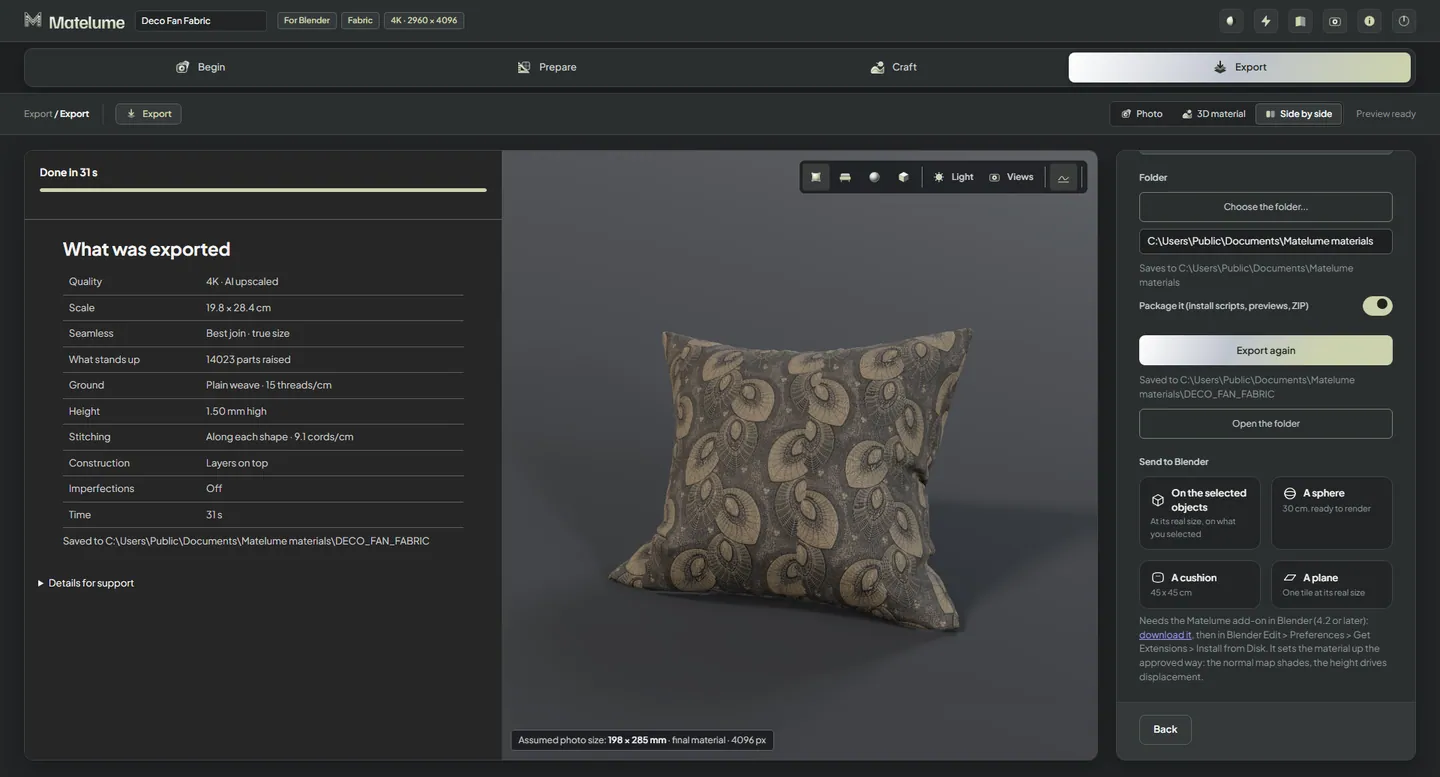
Build the material in Matelume, a Windows app, then click Send to Blender. With the Matelume add-on 0.2.2 installed in Blender 4.2 or later, the material arrives on your selected objects at real size, or on a ready sphere, cushion or plane. The add-on builds the nodes for you. Start with a scan, catalogue swatch or digital design.
Matelume is made for flat images: scans, catalogue swatches and digital designs, not phone or camera photos.
Build a surface around the image
Choose the material type that fits the job: Fabric, Marble, Wood, Wall art, Wall paint or Metal. Set the real size and make the surface choices for that material.
A colour image alone only describes the design. The material also needs maps that describe how the surface responds to light. Matelume computes these maps; AI is used to enlarge the image and read it, not to invent the maps.
Use Send to Blender
- Download the Blender add-on from the Download page. Don’t unzip it.
- In Blender, open Edit > Preferences > Get Extensions, open the menu at the top right and choose Install from Disk.
- Keep Matelume open on the same PC. Listening starts by itself.
- In Matelume, after an export, pick a card under Send to Blender: On the selected objects, A sphere, A cushion or A plane.
The add-on measures each object’s own UVs, so one tile covers its real size. If you resize an object later, select it and click Fit real size.
The material uses true displacement, so your own objects need enough mesh detail for it: add a Subdivision Surface modifier or use a dense mesh. The normal map shows the relief’s shading either way.
Check the result
Judge the material under your scene’s lighting and at the distance it will be seen from. 4K is the usual choice, with up to 8K available; an 8K fabric needs 32 GB of RAM.
Without the add-on, the exported maps still work: USE_IN_BLENDER.md in the export folder lists each slot and its colour space.
Know the limits
- Matelume itself runs on Windows. A Blender export does not mean a macOS or Linux version of Matelume.
- Send to Blender needs the add-on installed in Blender and Matelume open on the same PC.
- This is a material workflow. It doesn’t create your scene’s geometry, UVs or lighting.
Related questions
Can I send a material to Blender?
Yes. With the Matelume add-on installed in Blender 4.2 or later, Send to Blender puts the material on your selected objects at real size, or on a ready sphere, cushion or plane. The add-on builds the material nodes for you.
Do I need to know shader nodes?
No. In Blender, the Matelume add-on builds the material nodes for you. Elsewhere, the how-to sheet in the export lists which file goes in which slot, with its colour space.
Try it with your own image
Matelume runs on Windows 10 and 11, 64-bit. The 14-day free trial includes every Pro tool, full-size exports and no watermark, and it does not start a paid subscription. An account and an internet connection are required.