

How do I make a realistic metal material with measured colours?
Use the Metal material in Matelume 2.0. It offers 41 metal colours from measured optical data: 20 metals and alloys, 7 gold alloys and 14 coated finishes. Start from a colour or a flat metal photo, pick a metal or keep your own, set Shine, add Brushed, Hammered, Bead-blasted or Linen and any signs of use, then export.
Three of the 41 colours are estimates, and the app labels them so: bronze, rose gold and green gold (18k).
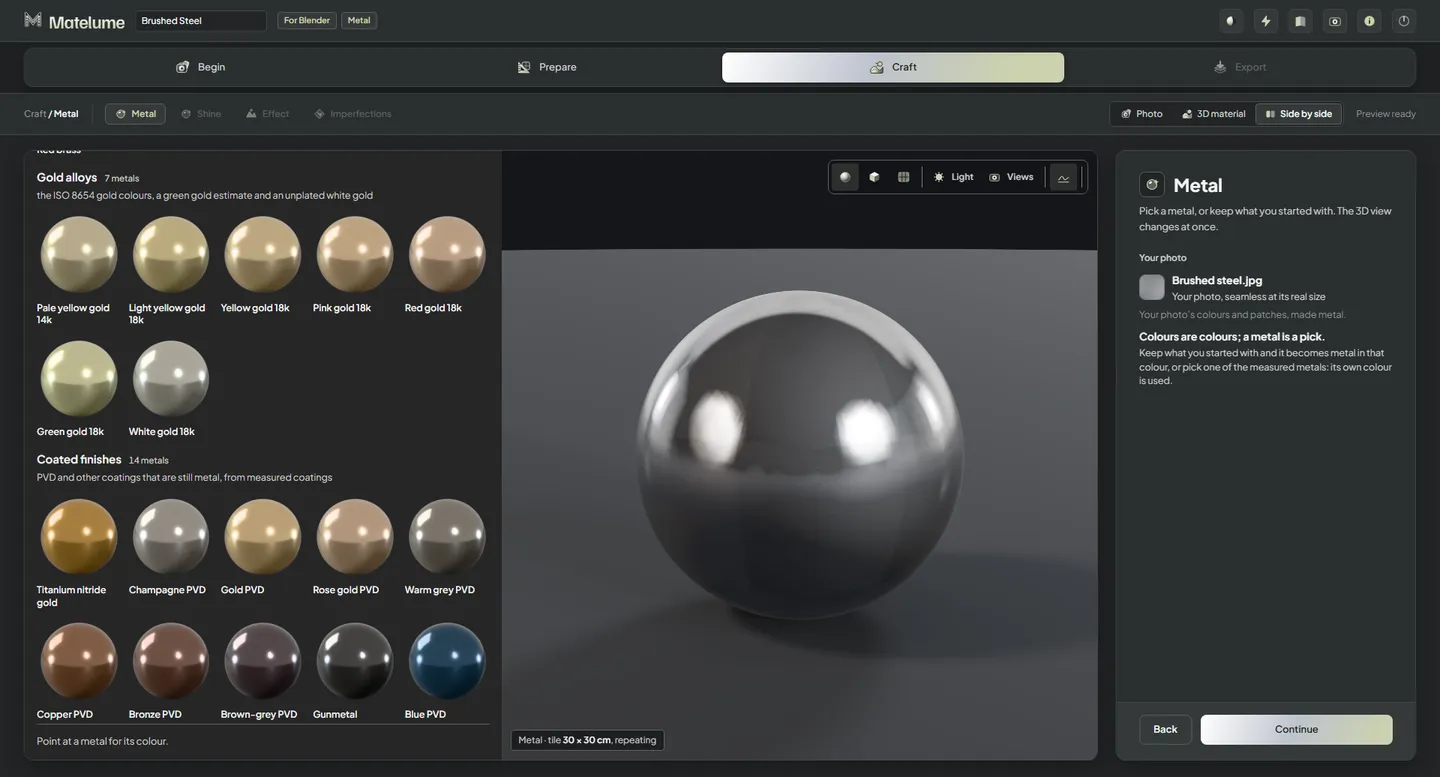
Choose a metal, then its surface
The steps are Metal, Shine, Effect, Imperfections and Export. A photo first gets its Real size and Seamless steps. On the Metal step you pick a metal or keep your own colour or photo. Shine runs from 0 to 100 %, starting at 50 %: at 100 % the metal reflects like a mirror, at 0 % it is fully matte, and the colour stays the metal’s own.
Effects are None, Brushed, Hammered, Bead-blasted and Linen. Each has Strength from 25 to 200 % and Scale from 20 to 200 %. Brushed also exports anisotropy maps, and Blender add-on 0.2.2 connects them.
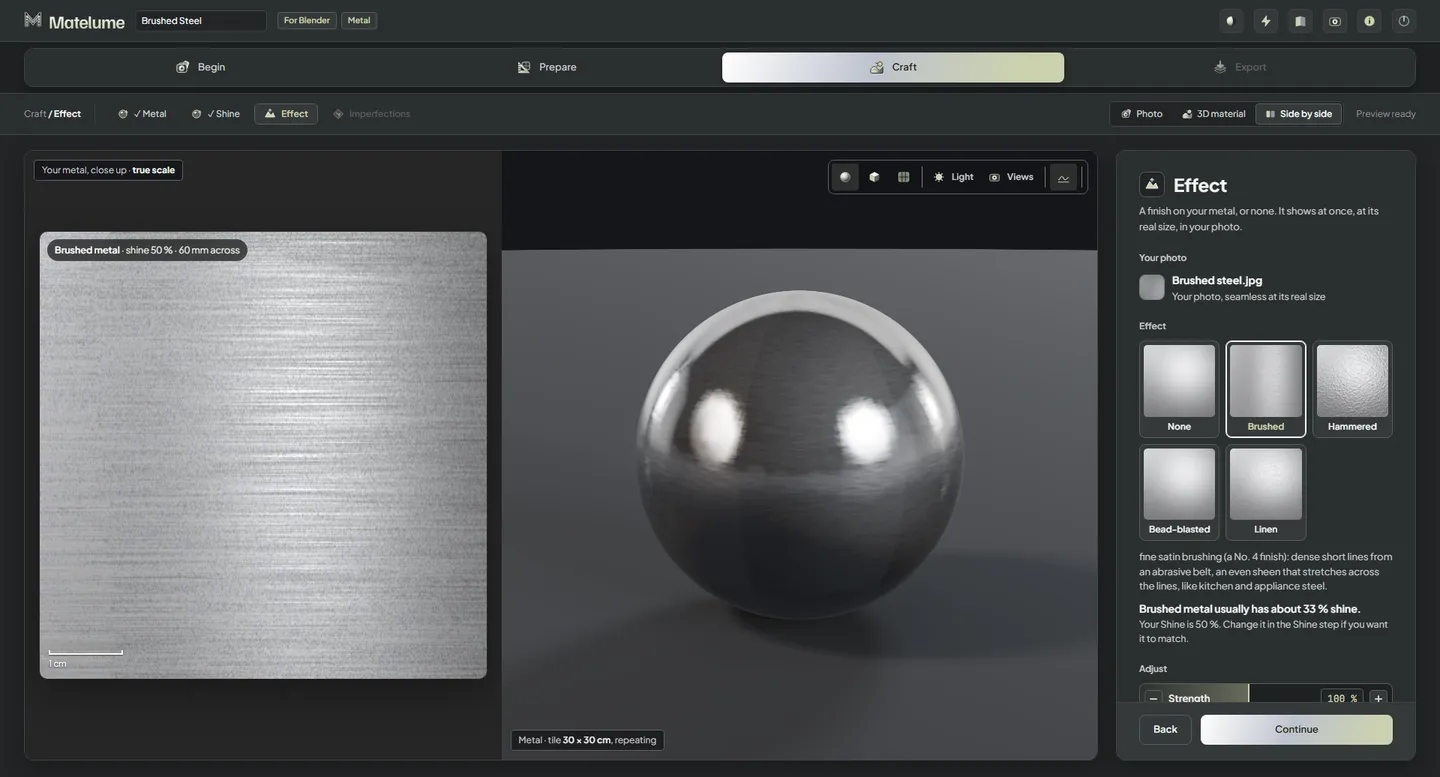
Add the signs of use
Scratches, Fingerprints and Small dents each start at 0 %. Compare a clean surface with the worn version under the same light and at the same scale: a change in lighting is not a material change.
Where the numbers come from
- Colour: from measured optical data, with the three estimates labelled.
- Roughness: computed, not scanned. Shine sets the base, and the effect and imperfections you choose add their own grain.
- Custom colours and photos: these stay your design choice. They don’t become a measured metal.
- 16-bit detail: exported metal normal maps are 16-bit, like every Displacement map. That does not apply to every map or to the live preview.


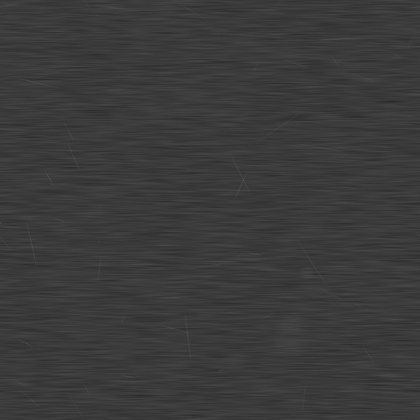
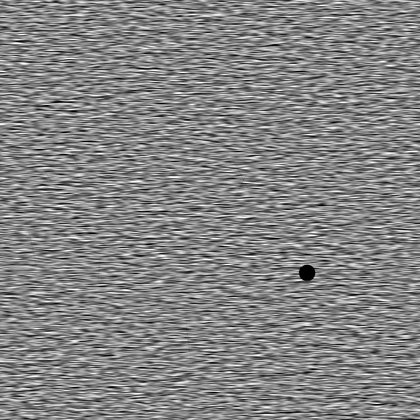
The maps of the brushed Gunmetal from our room: one tile, 200 × 200 mm, 4K.
Metal colours for any material
The Colour catalogue’s Metals tab holds the same 41 metals as flat chips, so you can start any material from them. That is separate from the Metal step’s sphere picker.
Know the limits
- Catalogue values do not turn a photograph into a measured physical sample. Lighting and the renderer still affect the look.
- Rust, verdigris and a ready-made material library are not part of Metal.
- Anisotropy maps are connected by the Blender add-on. Elsewhere, use them only if your material setup has a slot for them.
Related questions
Where does metal roughness come from?
It is computed, not scanned. The Shine slider sets the base, and the effect and imperfections you choose add their own grain.
Are all metal maps 16-bit?
No. In 2.0, metal’s exported normal maps are 16-bit, and every material’s Displacement map is 16-bit. That does not apply to every map or to the live preview.
How does the Metal material start?
Start from a colour or a photo, then choose Metal as the material type. A photo is first set to its real size and made seamless. At the Metal step, pick a metal sphere or keep your own colour or photo; then Shine, Effect, Imperfections and Export.
Try it with your own image
Matelume runs on Windows 10 and 11, 64-bit. The 14-day free trial includes every Pro tool, full-size exports and no watermark, and it does not start a paid subscription. An account and an internet connection are required.